

You’re scrolling through Instagram Reels or TikTok, and someone drops a link to vevlu.com.ng with a caption about some truck simulator. Looks interesting. But you tap the link and — wait. Is this actually a game? An app? A random Nigerian domain? And more importantly, should you even be clicking on it?
This format short video, mystery link and a “free game” promise is often very confusing for mobile gamers, particularly when the domain name doesn‘t belong to a familiar publisher.
Here’s the short version. Vevlu.com.ng isn’t a game you download and install. It’s a content website — a blogging platform that publishes articles about vehicle simulation games like truck simulators, car racing games, and tractor simulators. The confusion happens because social media posts frame it as if it’s the game itself.
This guide breaks down exactly what vevlu.com.ng contains, whether it’s safe to visit from India, what risks exist if you’re prompted to download anything, and which verified Play Store alternatives give you the same truck-driving experience without the uncertainty.
Table of Contents
Vevlu.com.ng Game in 20 Seconds
- Vevlu.com.ng is a content site about truck, car, bus, and tractor simulators – not an official game or app.
- Browsing articles is usually fine; the real risk starts when you download APKs from unknown links instead of using Google Play.
- In most cases, the “vevlu.com.ng game” people describe is actually Truck Simulator: Ultimate by Züüks Games, which is safely available on the Google Play Store.
- Safer guidelines of thumb: if you‘re so interested to read about the names of these games on vevlu.com.ng, download them from Google Play store. Do not try to download them using some online on-click download buttons.
Key Takeaways
- What is it? A blogging/content site about vehicle simulation games — not a standalone game or app
- Is it safe? The site itself can be browsed, but downloading APKs from it or similar unknown sources carries real security risks
- Can I get it on Play Store? No. Vevlu.com.ng isn’t an app. But the games it writes about often have verified Play Store versions
- Best alternative? Truck Simulator: Ultimate by Züüks Games — free on Google Play, 100M+ downloads
- Should I use it? Read the safety checklist below before deciding
What Is the Vevlu.com.ng Game?
Vevlu.com.ng is a website registered under Nigeria’s .ng country‑code domain. It operates as an informational hub, publishing blog‑style articles about mobile simulation games with a focus on truck, car, bus, and tractor simulators.
In other words, vevlu.com.ng is a content website that publishes articles and reviews about vehicle simulation games rather than being a downloadable game or app itself. That definition matters because most people land on this query expecting a game download page. They don’t find one.
What People Usually Expect When They Search This
Most people typing “vevlu.com.ng game” into Google are not looking for a random Nigerian blog – they expect a direct game download, an official Play Store page, or at least a clearly branded game homepage.
That mismatch between expectation (a game) and reality (a content site) is why so many users feel the site is “confusing” or “suspicious” even if they never see any obvious malware.
What the Site Actually Contains
The site hosts written content describing various simulation games. Articles typically cover gameplay features, vehicle types, missions, and customization options, and some posts refer to truck or vehicle simulators in a generic way that could match multiple actual apps.
A few patterns stand out: the site uses engaging titles like “farming tractor game simulator” or “best tractor game” that sound like game listings, but they are blog posts, not download links or official app store pages.
How It Connects to Truck and Car Simulators
Here’s where the confusion gets thick. One widely shared competitor article claims vevlu.com.ng is a game “made by Züüks Games” with a file size of “91 MB.” That description closely matches Truck Simulator: Ultimate — a legitimate, popular game on Google Play developed by Züüks Games. The competitor article appears to have conflated the vevlu.com.ng content site with the actual game it was writing about.
You can verify this yourself. Open the Truck Simulator: Ultimate listing on Google Play and compare the feature list — licensed Mercedes-Benz trucks, global maps, transport business management, fleet expansion — against what the vevlu article describes. The overlap of features is very strong.
So when people search “vevlu.com.ng game,” they’re often looking for a game that exists separately on the Play Store under a different name. The vevlu site just wrote about it.
Is Vevlu.com.ng Safe to Use in India?
Not going to sugarcoat this. The safety picture is mixed, and the honest answer depends on what you do on the site.
Domain and Trust Signal Check
The .ng domain extension belongs to Nigeria. That alone doesn’t make a site dangerous — plenty of legitimate businesses use country‑code domains, and .ng is the official Nigerian country‑code top‑level domain. But it does mean standard verification steps matter more if you are visiting from another country.
What raises caution:
- No verifiable business identity. The site doesn’t display a clear company name, physical address, or registered business number.
- Thin privacy and contact information. While the site includes basic policy pages, they’re generic and don’t identify a specific organization.
- Low trust scores on third‑party checkers. Sites like ScamAdviser and ScamDoc often flag low‑information domains with low confidence scores — not a definitive scam verdict, but a sign that trust indicators are weak.
- Social media spam patterns. The vevlu.com.ng URL has appeared in comment spam on unrelated authority sites, which is a common tactic used by low‑quality content farms.
Browsing the articles themselves is probably fine, as long as your browser is updated and you don’t click on aggressive ad overlays. The bigger risk starts when you follow download links.
Quick URL Trust Checklist (30‑Second Scan)
If a site fails on several of these checks at once, treat any download links with extra caution, especially if they’re APK files.
| What to check | Good sign | Red flag |
|---|---|---|
| Address bar | https:// + domain you intended |
Misspellings or extra words in domain |
| About / Contact page | Clear owner name, email, or address | No contact info or only generic Gmail |
| Social presence | Linked from official social profiles | Only seen in spam comments or random DMs |
| Download links | Point to Google Play / App Store | Direct APK links from ad‑like buttons |
| Browser behavior | Stays on one site | Multiple redirects or new tabs opening on their own |
APK Download Risks from Unknown Sites
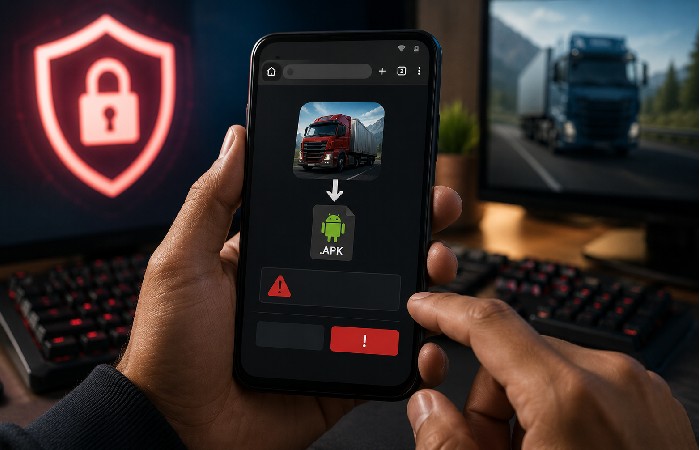
If vevlu.com.ng — or any page linking from it — prompts you to download an APK file, stop.
Apart from this, application files from outside the Google Play store that are manually downloaded, are not checked by the default Google PlayProtect malware scanner. CERT-Ins advisories on mobile security states that installing third-party applications from unknown sources accounts for one of the main methods of delivery of malware, spyware, adware and data theft.
The risks are specific:
- Malware injection. Modified APK files can contain remote access trojans that let attackers control your device
- Excessive permissions. A truck game shouldn’t need access to your contacts, SMS, or camera. If it asks, that’s a red flag
- Data harvesting. Some rogue APKs silently collect personal data — login credentials, banking app info, location history
None of this means vevlu.com.ng is actively distributing malware. But the site operates in a space where these risks are common, and it lacks the trust signals that would let you confidently rule them out.
This article is not labelling vevlu.com.ng as a scam; it is explaining why APK downloads from any low‑information, ad‑heavy gaming site should be treated with extra caution.
How to Access Vevlu.com.ng Game Content (Step by Step)
Want to check the site yourself? Fair enough. Here’s how to do it with reasonable precautions.
Quick Decision Flow Before You Click Anything
- Step 1: Do you only want a good truck / car simulator? → Skip vevlu.com.ng and go straight to Google Play.
- Step 2: Are you specifically curious about vevlu.com.ng? → Open it in a browser, read only, no installs.
- Step 3: Does the site immediately push an APK? → Close the tab and look for the same game on Google Play instead.
Browser Access
- Open Chrome, Firefox, or any updated browser on your phone or computer
- Type vevlu.com.ng directly into the address bar — don’t click shortened links from social media
- Verify the URL shows HTTPS (padlock icon). If it doesn’t, close the tab
- Browse the articles. Read about the games. That’s what the site is built for
What to Do If You’re Prompted to Download
This is the critical part. If you see any prompt asking you to:
- Download an APK file
- Install a browser extension
- Allow notifications from the site
- Enter personal information (email, phone number, payment details)
Close it immediately. Use the back button or close the tab. Don’t interact with the prompt.
If you downloaded the file by mistake, don ‘t open it just delete it. Run a scan with Google Play Protect, which you have already got on your Android device, simply by opening up the Play Store app and tapping on your profile, then ‘Play Protect.
Vevlu.com.ng Game Features: What the Site Covers
The content on vevlu.com.ng focuses on a specific slice of mobile gaming — vehicle simulators. Based on the articles currently published, here’s what the site discusses.
Truck and Car Simulation Content
Most articles describe truck driving simulation gameplay. Common topics include:
- Realistic truck controls and physics (steering, braking, cargo weight effects)
- Long-haul delivery missions across different terrains and countries
- Transport business management — hiring drivers, expanding fleets, managing fuel costs
- Vehicle customization options — paint, lights, accessories
- Licensed vehicle brands (articles reference Mercedes-Benz trucks, though this likely refers to Truck Simulator: Ultimate’s licensed fleet)
Tractor and Bus Game Coverage
A few of the posts have farming tractor simulators and bus driving games. These are less long than the others and not so in depth; and usually have links to either Instagram or TikTok for videos of the gameplay.
Writing throughout the whole site varies widely in quality. Some of the articles sound like they‘ve been written by a machine or directly translated from a foreign language, with stilted sentences and muddled paragraphs. Worth pointing out–not to suggest a site with bad grammar is necessarily untrustworthy, but rather an indicator of a lack of site editorial control.
Common Issues Users Report
If you’ve already visited vevlu.com.ng or similar gaming content sites, you might’ve run into some of these.
Ads, Redirects, and Pop-Ups
Content-farm gaming sites typically monetize through aggressive advertising. Expect:
- Full-screen ad overlays that are hard to close
- Fake “Download Now” buttons that lead to ad networks, not actual game files
- Auto-redirects to unrelated pages (sometimes in different languages)
- Browser notification permission requests — say no to these
An ad blocker helps. But on mobile Chrome, your options are limited unless you use a browser like Brave or Firefox with uBlock Origin.
APK Files and Permission Risks
If you did download an APK from vevlu.com.ng or a linked page, check these immediately:
- What permissions did it request? Go to Settings > Apps, find the app, tap Permissions
- Is the app from a verified developer? Check the developer name against the Play Store listing for the same game
- Does your phone feel slower or warmer than usual? Background processes from malicious APKs often drain battery and overheat devices
- Run a full scan. Use Google Play Protect or a reputable security app like Kaspersky Mobile Security
If something seems wrong remove the app, change the passwords to any accounts you logged into after installation, and keep an eye on your bank account for any weird activity.
If You Think You Already Installed Something Risky
- Delete the suspicious application.
- Perform a complete security scan using Google Play Protect and optionally some safety program for the mobile system.
- Change your banking, email, and social media passwords that you‘ve logged into using that phone after you‘ve installed the application.
- Keep an eye on your SMS and bank statement for a few days for any strange requests for OTPs or transactions and contact your bank immediately.
The quicker you do these, the better chance you will be able to minimize the damage if a malicious APK is attempting to steal information or eavesdrop for onetime passwords.
Safer Alternatives on Google Play
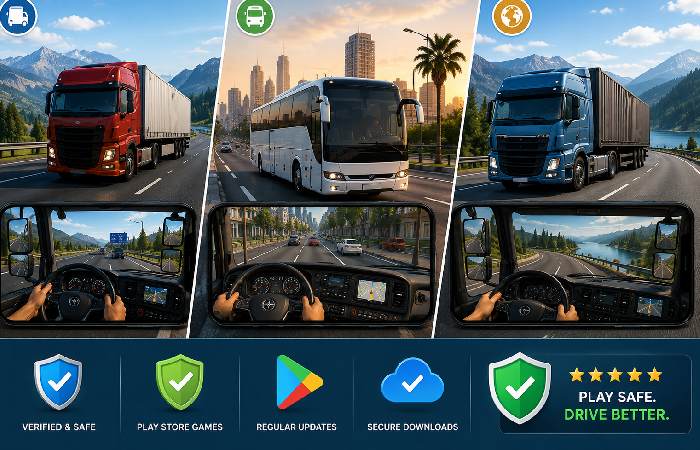
Here’s the practical part. If you came here looking for a truck or car simulator game, these are verified options available directly from the Google Play Store — no APK downloads from unknown sites required.
| Game | Developer | Play Store Rating | Downloads | Free/Paid | Key Feature |
|---|---|---|---|---|---|
| Truck Simulator: Ultimate | Züüks Games | 4.3★ | 100M+ | Free (in-app purchases) | Licensed trucks, global maps, multiplayer |
| Bus Simulator Indonesia | Maleo | 4.2★ | 100M+ | Free (in-app purchases) | Indonesian roads, bus customization |
| Euro Truck Simulator 2 | SCS Software | 4.5★ (Steam) | N/A (PC only) | Paid | Most realistic PC truck sim |
| World Truck Driving Simulator | Dynamic Games | 4.0★ | 50M+ | Free (in-app purchases) | Realistic graphics, open world |
| Truck Simulator: Europe | Zuuks Games | 4.1★ | 10M+ | Free (in-app purchases) | European routes, cargo delivery |
Device requirements (rough guide):
- Apps like Truck Simulator: Ultimate and other 3D simulators tend to perform best on fairly modern android phones with sufficient RAM and a couple of GBs free memory, so, for budget/old devices, you may need to keep the graphics setting low. If you have an older or low storage phone, you‘ll want to stick to the lower graphics settings and leave some room to prevent stutters and crashes.
- Truck Simulator: Ultimate is likely the game that vevlu.com.ng articles are actually describing. It’s made by Züüks Games, features Mercedes-Benz licensed trucks, includes a transport business management system, and offers global maps — all the features attributed to the “vevlu.com.ng game” by the competitor article.
You can get it directly from the Play Store. No APK. No unknown domain. No risk.
Safety Checklist Before Downloading Any Game from Unknown Sites
Before you download anything from a site you haven’t used before — not just vevlu.com.ng, but any unfamiliar gaming site — run through this.
- Check the URL. Does it use HTTPS? Is the domain name recognizable? Typosquatting (slight misspellings of real domains) is common
- Search the site name + “scam” or “review.” See what other users report. Sites like ScamAdviser give automated trust scores
- Never download APKs when the same game exists on Google Play. If a game is legitimate, it’ll be on the official store
- Review permissions before installing. A driving game needs access to storage (to save data) and maybe your network. It doesn’t need your contacts, camera, or SMS
- Keep Google Play Protect turned on. It scans apps from all sources, not just Play Store downloads
- Don’t enter personal or payment data on unknown sites. If a “free game” site asks for your credit card — that’s not a game site
- Update your phone’s OS and browser regularly. Security patches close the exact vulnerabilities that malicious sites try to exploit
- Scan unknown files before opening them. Upload any downloaded APK to VirusTotal.com — it checks the file against 70+ antivirus engines for free, and it takes about 30 seconds
The above measures were consistent with other security hygiene practices generally recommended in the Android domain, such as those recommended by several of the largest Android security websites and national cybercrime awareness campaigns. They had the effect of making accidental installation of an insecure application far less likely.
3 Golden Rules to Screenshot and Remember
- If a game is on Google Play, never install it from an APK link.
- If a website forces you to enable “install unknown apps,” stop and rethink.
- If you feel rushed, spammed, or confused on a download page, close it and walk away – no game is worth your data.
Who Should Use Vevlu.com.ng — and Who Should Skip It
Potentially useful for:
- Gamers browsing for new truck/car simulator game recommendations (treat it like a blog, not a download source)
- People who want to read about simulation game features before downloading from the Play Store
- Curious visitors who saw a social media post and want to know what the site is
Quick device note: Truck Simulator: Ultimate — the most likely game vevlu.com.ng describes — is designed for modern Android phones and needs a reasonable amount of free storage; most devices from the last few years handle it without issues.
Skip it if:
- You’re looking for a direct game download — use the Play Store instead
- You’re not comfortable navigating aggressive ad placements
- You don’t have an ad blocker or updated browser
- You’re a younger user without experience identifying safe vs. risky download prompts
Final Verdict
Vevlu.com.ng isn’t a game. It’s a content site about games. And the specific game it most often seems to describe — a truck simulator with licensed Mercedes‑Benz vehicles, global routes, and business management — very closely matches Truck Simulator: Ultimate by Züüks Games, which you can download free from the Google Play Store.
Is the vevlu.com.ng site itself harmful? There’s no confirmed evidence of active malware distribution on the site. But it has weak trust signals, a history of its URL appearing in spam comments, and it operates in a space where ad‑heavy redirects and risky APK downloads are common.
The safer path is straightforward. Browse the site for reading if you want, but download your games from the Play Store. That’s it.
Frequently Asked Questions
Is vevlu.com.ng a real game or a website?
It’s a website. A content blog, specifically. Vevlu.com.ng publishes articles about vehicle simulation games — truck simulators, car games, tractor games. You can’t download a “vevlu game” because there isn’t one. The games it describes are separate apps, most of which are available on the Google Play Store under their actual developer names.
Can I download games from vevlu.com.ng safely?
That depends on how you define “safely,” but definitely not. The site could have a link to APKs that never make it through Google Play Protect‘s constant malware screening. The APKs themselves may not be malicious, but there is no way to know for sure until you run your own scan(s), the easiest way to do this being to get the same titles directly through the Play Store, where they are already safe and verified.
What type of games does vevlu.com.ng cover?
Truck simulators. Driving games for cars, bus simulators, and tractor simulators for farming. The site is dedicated to mobile simulation games from Android.
Is vevlu.com.ng available as an app on the Play Store?
No. There is no “vevlu” app on Google Play and the Apple App Store. The site is solely browser accessed. If you come across an APK which appears to be the “vevlu app” do not download it. It‘s not official, and there‘s no real “vevlu” application at all.
What are safer alternatives to vevlu.com.ng for truck games?
Truck Simulator: Ultimate by Züüks Games is the closest match — it’s free, has over 100 million downloads, features licensed Mercedes-Benz trucks, and includes the transport business management gameplay that vevlu.com.ng articles describe. Bus Simulator Indonesia by Maleo and World Truck Driving Simulator by Dynamic Games are solid options too. All available directly on Google Play. No APK files from unknown sources needed (which, honestly, should always be the default approach).
What should I do if I lose money after installing a fake game APK?
In case you have a doubt that there is a fraud, then notify your bank immediately; change your online banking and UPI PINs and inform at India police‘s national portal on cyber crime (cybercrime.gov.in). Or dial 1930, the cyber fraud helpline.